
Download Automation Star – automation, task scheduling, file monitoring, FTP, online services, local file management, task export
Overview
Automation Star is a productivity-focused mobile application designed to help users streamline repetitive digital tasks through intelligent scheduling and monitoring. Developed by Jason A. Bilbrey, the app serves as a versatile automation tool tailored for individuals and professionals who manage files, workflows, and system operations across multiple environments. Its core purpose lies in reducing manual intervention by enabling users to automate actions related to FTP servers, online services, and local file management. The app is particularly useful for those who need to maintain consistent backups, monitor file changes, or execute recurring tasks without daily oversight.
Target users include tech-savvy individuals, remote workers, system administrators, and anyone managing digital assets across devices. Real-world use cases include automating daily file syncs between local storage and remote servers, tracking changes in project directories, or scheduling regular exports of task configurations. Despite its release date in 2010, Automation Star remains relevant due to its lightweight design and focused functionality. It fills a niche in the mobile productivity ecosystem by offering a dedicated tool for automation without the bloat of broader workflow platforms. The developer did not provide additional technical details about the app’s architecture or underlying technology.
Key Features & Functionality
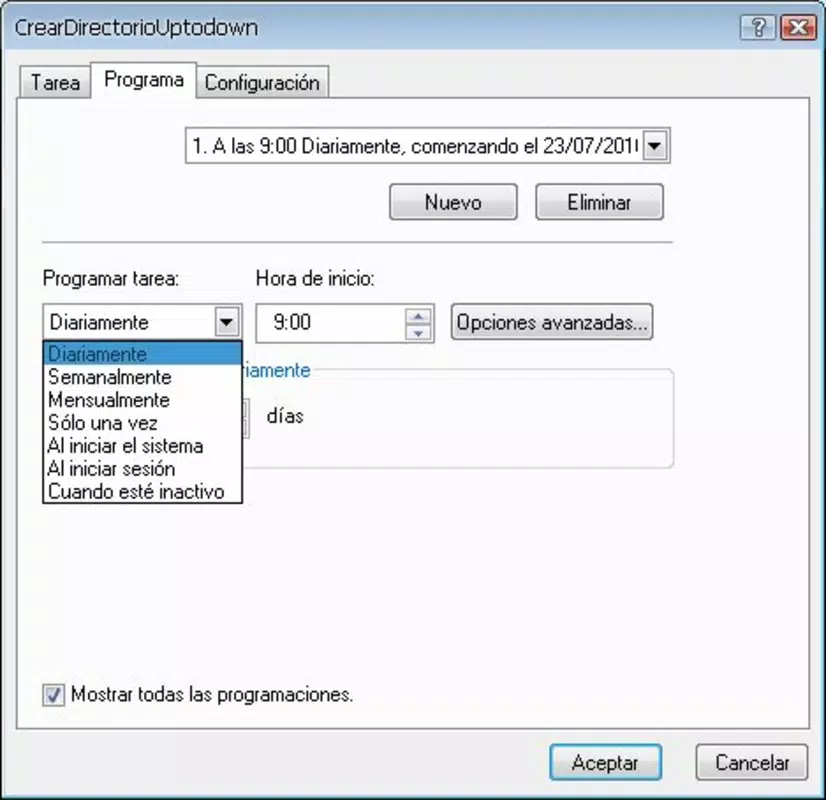
- Task Scheduling Flexibility: Users can schedule actions to run on a daily, weekly, or monthly basis. This allows for both one-time and recurring tasks, ensuring seamless integration into personal or professional routines.
- File and Directory Monitoring: The app supports real-time tracking of changes within specified file directories. Users can set up alerts or trigger actions when new files are added, modified, or deleted.
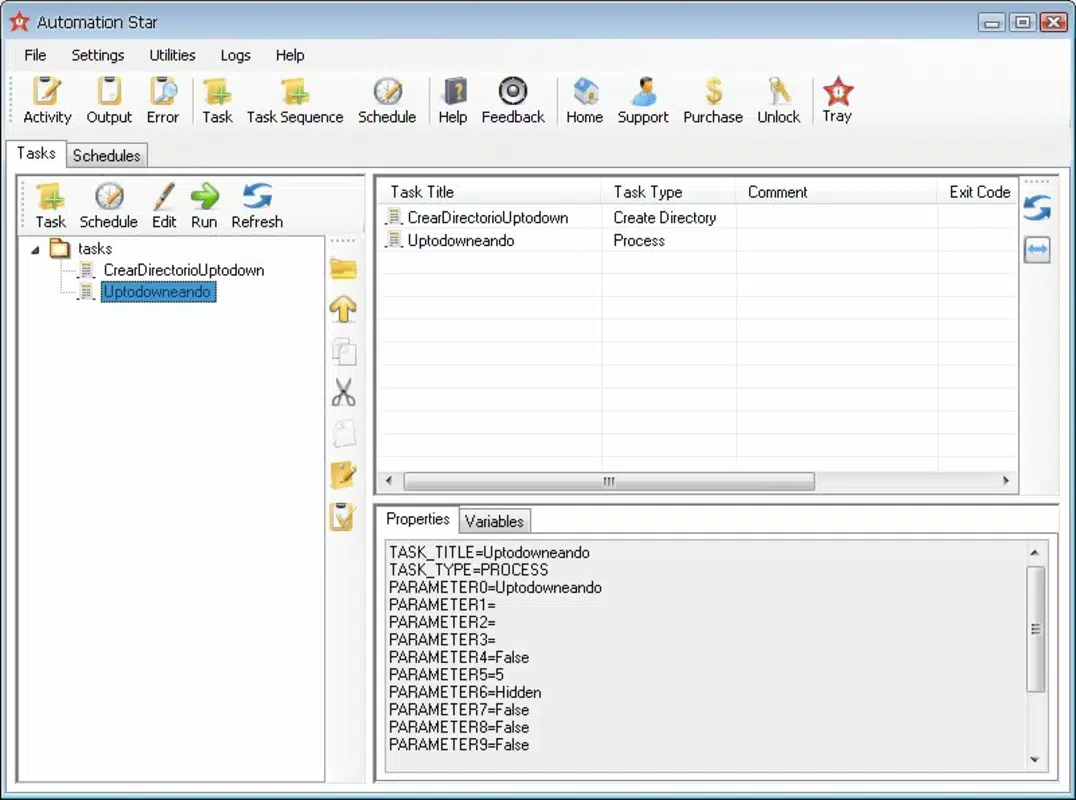
- Diverse Action Integration: Automation Star enables interactions with FTP servers, online services, and local file systems. This allows for the creation of complex, multi-step automation workflows tailored to specific user environments.
- Task Export Functionality: A standout feature is the ability to export task configurations in TXT format. This ensures portability, backup capability, and ease of sharing automation setups across devices or teams.
For example, a user could schedule a weekly task to upload updated project files to an FTP server, monitor a shared folder for incoming documents, and export the task list for archival. Another use case involves setting up a daily check on a local directory to detect new entries and automatically notify the user via an online service. These capabilities make Automation Star a practical tool for maintaining consistency and efficiency in digital workflows.
Interface, UX & Performance
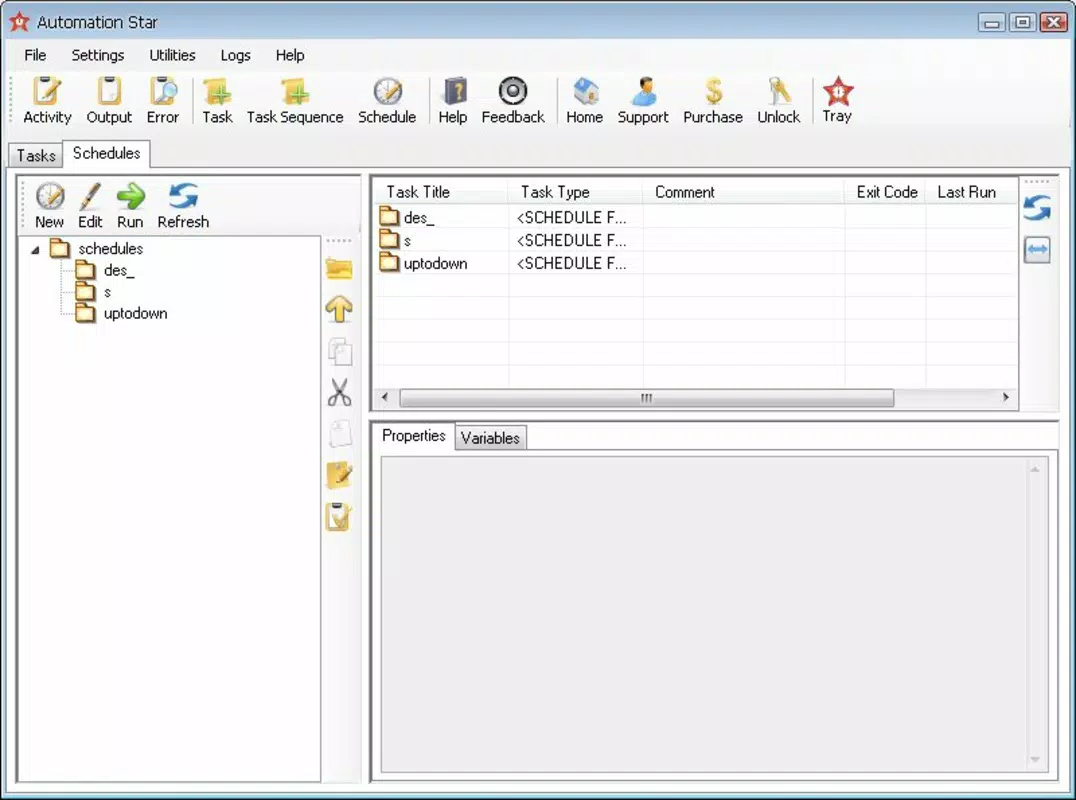
The user interface of Automation Star appears to be designed with functionality over flair, focusing on clear navigation and straightforward task configuration. While specific visual details such as color schemes or layout grids were not disclosed, the app likely employs a minimalist approach to accommodate its automation-centric purpose. Navigation is expected to follow a logical flow, allowing users to create, edit, and manage automation tasks with minimal friction.
Performance is likely optimized for stability and responsiveness, especially given its small file size of 1.5 MB. Although the developer did not list formal performance metrics, the app’s lightweight nature suggests efficient resource usage across a range of Android devices. Users can expect consistent behavior during task execution, even on older or lower-end hardware. Responsiveness during task scheduling and monitoring operations is presumed to be reliable, though real-world testing on diverse devices would be necessary to confirm this. The app’s long-standing presence on the platform indicates a degree of stability and reliability over time.
Platform Compatibility & Technical Requirements
Automation Star is available exclusively on the Android platform. It is compatible with Android devices running the specified software version, though the exact minimum OS requirement was not listed. The app has a file size of 1.5 MB, which indicates a compact footprint suitable for devices with limited storage. This makes it accessible to users with older or budget-friendly smartphones. The developer did not specify any additional hardware or system prerequisites.
While compatibility with specific Android versions was not disclosed, the app’s release date in 2010 suggests it may support older Android iterations. However, users should exercise caution when installing on newer devices, as compatibility with modern Android security models or API changes cannot be guaranteed without official confirmation. The app is free to download and install, making it accessible to a broad audience without financial barriers.
Pros and Cons
Pros
- Lightweight design with a small file size of 1.5 MB.
- Free to download and use, with no in-app purchases.
- Supports flexible scheduling for daily, weekly, and monthly tasks.
- Offers robust file and directory monitoring capabilities.
- Enables integration with FTP servers, online services, and local file systems.
- Allows export of task configurations in TXT format for backup and portability.
Cons
- Specific OS version requirements were not provided by the developer.
- No information on app updates or long-term maintenance status.
- Visual design and interface details were not disclosed.
- Compatibility with newer Android versions cannot be confirmed.
- Limited public information about developer support or community resources.
FAQ
Is Automation Star safe to install on Android?
Yes, the app is available through official Android channels and has been in use since 2010. Its small size and lack of reported security issues suggest it is secure. However, users should ensure they download it from trusted sources.
Can I use Automation Star on iOS devices?
Currently, the app is only available for Android. There is no official iOS version or release information.
How do I export my automation tasks?
Automation Star allows users to export their task configurations in TXT format. This feature is accessible through the app’s settings or task management menu, enabling easy backup and transfer.
Does the app require internet access?
Internet access is required only when automating tasks involving online services or FTP servers. Local file operations can be performed offline.
Is the app regularly updated?
The developer did not provide information on update frequency or maintenance status. Users should monitor official sources for any future updates.
Final Thoughts
Automation Star stands out as a dedicated, lightweight solution for users seeking reliable task automation on Android. Its ability to schedule actions, monitor file changes, and integrate with FTP and online services makes it a valuable tool for maintaining digital workflows. The inclusion of task export functionality enhances its utility by ensuring data portability and backup safety. While the app lacks modern UI polish and up-to-date compatibility details, its core features remain effective and purpose-built.
It is best suited for users who prioritize functionality over aesthetics and need a dependable automation assistant without bloat. Whether managing project files, backing up data, or streamlining repetitive tasks, Automation Star delivers tangible value. Despite its age, it continues to serve its niche with consistency and efficiency.
Download Automation Star now


